| Online play. Games |
|---|
 Christmas Shuffle Game Christmas Shuffle Game
 
Plays: 6406
Category: Puzzles Games
Christmas shuffle is a match-3 style flash game. Included are 3 game modes: Arcade, Puzzle, and Freeplay mode. There are also 70+ Achievements, and 250+ medals to collect throughout the various game modes. The game is mouse-based only and is simple to pick-up and play, but also provides difficult puzzles to solve in the latter levels of Puzzle mode. |  Pirates Ahoy Game Pirates Ahoy Game
Plays: 6404
Category: Facebook Games
Set sail on a swashbuckling new adventure in Pirates Ahoy! The latest game from Playfish! Take to the seas in your ship with all your friends to search for treasures beyond your wildest dreams! |
 Green Mamba Game Green Mamba Game
Plays: 6401
Category: Action Games
Play the glorified `snake` game in this tremendously lifelike tournament! | 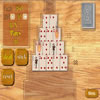 Tower of Fortune Game Tower of Fortune Game
Plays: 6400
Category: Casino Games
Tower of Fortune is a game of luck and nerves, played with a unique deck of cards.
To play Tower of Fortune, you must know when to press your luck, and when to take your money. Play well and you might see some big wins. |
 Colorful Hairstyle Game Colorful Hairstyle Game
Plays: 6397
Category: Dress-Up Games
Play this fun colorful hairstyle game. Enjoy more makeover games for girls |  Seabed Bubble 3 Game Seabed Bubble 3 Game
Plays: 6395
Category: Action Games
Shoot the bubbles as many as possible before the bubbles are close to the seabed. You can Shoot the bubbles by forming groups of 3 or more of the same color. You must reach the required scores to play the next levels. Move your mouse to aim. Click to shoot. |
 Colors Game Colors Game
Plays: 6386
Category: BoardGame Games
You must fill the board with blocks with the same color. |  Top Ace Game Top Ace Game
Plays: 6375
Category: Other Games
You need to get four aces up in the top of the card column. Any open card with a higher card of the same suit can be removed. You may move cards to the empty columns.
Play up to three exciting games of tennis against the best players in the world. Can you get all the aces up to the top? Then you will qualify for the final and become the Top Ace! |
 Animal Kingdom Game Animal Kingdom Game
Plays: 6371
Category: Adventure Games
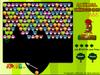
Frogs, cubs, monkeys and teddies are all here to provide u a full round of entertainment! Can u aim well, group them and blast 'em off to their cribs? |  Premier Football Game Premier Football Game
Plays: 6370
Category: Facebook Games
Want to challenge your friends? Create and manage a football team made up of your Facebook friends. Play matches against friends and represent your team! |
 Claytus Hood Tower Defense Game Claytus Hood Tower Defense Game
Plays: 6368
Category: Shooting Games
Claytus towerdefense, is a game made by a French independent team. You play a farmer and you must defend yourself against enemies waves. Purchases and build turrets, kill enemies, earn money and so on... Like a tower defense like game !
Thanks for playing ! | 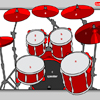 tambores Game tambores Game
Plays: 6367
Category: Rhythm Games
Play drums with your keyboard or mouse. |
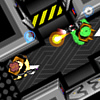 The Algorithm Crew: Proving Ground Game The Algorithm Crew: Proving Ground Game
Plays: 6366
Category: Action Games
You're part of an elite crew of special ops soldiers who use their brains and brawn to bust through alien defenses. Play one of nine characters and battle space aliens and robots. This mission pack contains three exciting missions. |  Hoshinofuru Arena Game Hoshinofuru Arena Game
Plays: 6362
Category: Adventure Games
Hi! This one is not the second part of Hoshinofuru but here you will can see some of the next game Hoshinofuru 2 :P
-53 Creatures
-11 Items
-High score Table
Hope you like it :P
PS: The objective of the game is to defeat as many osanais as you can :P |
 Hammer Throw Game Hammer Throw Game
Plays: 6355
Category: Sports Games
Throw hammer as far as you can. Spin hammer thrower with correct technique and build speed and then release hammer. But dont throw it into the cage. You will have to play it a number of times to master the hammer throwing technique. |  Slidoword Game Slidoword Game
Plays: 6354
Category: Puzzles Games
Slide letter tiles across the board to make words. Once a word is made it is locked in place, so plan carefully, you may just lock out that letter you needed! Play in normal mode or for a quick game play puzzle mode. Double Click any of the background floating words for a definition! |
 ASD Piano Master Composer Game ASD Piano Master Composer Game
Plays: 6345
Category: Education Games
ESPAÑOL ABAJO
=============
The ASD Piano is a device made by I2 Interactive and sold widely everywhere. Here you can have fun playing with it. It has 7 keys that correspond to the 7 notes and you can play them by pressing the corresponding keys on your Keyboard A-S-D-F-G-H-J
In this game you have 3 modes to have your fun time with the ASD Piano TM.
Free Mode: Here you can play as you like, pressing the keys as you wish, click the Back button to go to tittle screen.
Memory: You will hear a short melody and then you have to play it again, many short melodies will pop and after succesfully playing them you can submit your score to the Hi-Score table.
Composer: You can compose your own original pieces!! and share with your friends, show the world the talent you have!!
In the composer screen press the "REC" button to start making your composition, play the keys that you wish and feel the best, you can play several keys at the same time and get awesome results. When you feel its finished hit the "STOP" button to finish the recording,
You can adjust your piece speed altering the value given at the bottom left and also you can add a background loop to acompany it selecting from the available tunes from 1 to 6.
You can hear your original piece clicking the "PLAY" button, click "STOP" to halt it at any point, with the playhead stopped you can click on any part of your pentagram, the playhead will go there, and playing any keys there will modify that part, you can click on "ERASE PART" to delete the notes on that part.
If you click "ERASE ALL" the whole piece will be deleted so be careful, also clicking "Back" will delete the piece so save first.
To save it you have to click the "SAVE" button and then, there is a white square at the bottom, right click on it and on the menu click "Select all" then right click again and on the menu click on "Copy" then open your Windows Notepad, go to START then ALL PROGRAMS and then ACCESORIES, then click on Notepad and there select Edit menu and Paste, then click on File and Save to save it anywhere you like.
To load your piece or your friends compositions first of all select the whole composition that you have received (starts and ends with a number), then right click on it and select Copy, then in the ASD Piano, once in the Composer mode right click on the white square at the bottom and select Paste then click on the "LOAD" button and now you can click on "PLAY" to listen to it, or you can edit that to add your own modifications.
You can also click on the premade songs to load them, doing that will load the entire song so be sure to save your work first, see what our talented team has made and learn from there.
ESPAÑOL
=======
El ASD Piano es un dispositivo creado por I2 Interactive y vendido ampliamente por todo el mundo. Aqui puedes divertirte jugando con el. Tiene 7 teclas que se corresponden con las 7 notas y puedes tocarlas presionando la tecla correspondiente en tu teclado A-S-D-F-G-H-J
En este juego tiene 3 modos para pasar un buen rato con el ASD Piano TM.
Free Mode: Aqui puedes jugar como quieras, presionando las teclas como desees. Haz click en el boton Back para regresar a la pantalla de titulo.
Memory: Oiras una corta melodia y despues deberas tocarla de nuevo, muchas cortas melodias iran apareciendo y una vez que las toques correctamente puedes enviar tus puntos a la tabla de Hi-Score
Composer: Puedes componer tus propias piezas originales!! y compartirlas con tus amigos, muestra al mundo el talento que tienes!!
En la pantalla del Composer presiona el boton "REC" para empezar a crear tu composicion, toca las teclas como prefieras y sientas de la mejor manera, puedes tocar varias notas a la vez y conseguir increibles resultados. Cuando sientas que esta terminada dale al boton de "STOP" para detener la grabacion. Puedes ajustar la velocidad de la pieza variando el valor dado abajo a la izquierda y tambien puedes añadir una musica de fondo como acompañamiento seleccionandola de la lista de Tunes disponibles de 1 a 6. Puedes tu pieza original dandole a "PLAY", haz click en "STOP" para detenerla en cualquier punto, con la cabeza lectora (flecha verde) parada puedes hacer click en cualquier parte del pentagrama, la cabeza lectora ira alli, tocando cualquier nota ahi modificara esa parte, puedes hacer click en "ERASE PART" para borrar solo esa parte. Si haces click en "ERASE ALL" se borrara toda la composicion asi que ten cuidado, tambien haciendo click en "Back" se borrara toda la composicion asi que salva antes de salir.
Para salvar tu composicion debes hacer click en "SAVE" y luego, en un cuadro blanco situado abajo, haz click con el boton derecho del raton, y en el menu que sale haz click en "Seleccionar todo" luego haz click de nuevo con el boton derecho y selecciona "Copiar" ahora abre tu Bloc de Notas de Windows, ve a "Inicio", luego en "Todos los programas" y despues en "Accesorios", luego haz click en "Bloc de Notas", una vez que se abra, en el menu "Edicion" selecciona "Pegar", luego haz click en "Archivo" y "Guardar" para guardarlo donde quieras.
Para cargar tu pieza o la de tus amigos primero de todo selecciona toda la composicion que tu has recivido (comienza y termina con un numero), luego haz click con el boton derecho en ella y elige "Copiar", luego en el ASD Piano, una vez que estes en el modo Composer, haz click con el boton derecho en el cuadro blanco de abajo y elige "Pegar" luego haz click en el boton "LOAD" y ya puedes hacer click en "PLAY" para escucharla o puedes editarla para añadir tus modificaciones. Puedes tambien hacer click en las canciones prefabricadas "Premade" para cargar una de las 5 melodias disponibles, haciendo esto cargara la cancion entera asi que asegurate de salvar tu composicion antes, mira lo que nuestro talentoso equipo ha hecho y aprende a la vez. |  FlyButterFly Game FlyButterFly Game
Plays: 6343
Category: Adventure Games
Easy to play 1 button only game. Lovely parallax scrolling, colorful graphics, relaxing music. Simply hold down the button to keep your butterfly flying over the flowers. Avoid the bee along your journey. |
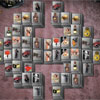 Mahjong Boss Syndicate Game Mahjong Boss Syndicate Game
Plays: 6342
Category: BoardGame Games
Great addictive high quality variation of popular ancient mahjong by Free-Skill-Games.com . Mahjong Boss challenges you to play the game, the first prize is life. Win this game ! The tiles depict the gangster's necessary things. Click at the identical unlocked items to delete them. Delete all tiles and publish the best result. There are 20 levels and extremely cool graphics. |  Beach Soccer Game Beach Soccer Game
Plays: 6332
Category: Action Games
This is a beach soccer game of four players.
You can choose to play a single game or a tournaument game. |