| Online Keys Games |
|---|
 Neymar Head Football Game Neymar Head Football Game
 
Plays: 3706
Category: Sports Games
Welcome to the head football game of Neymar.The aim of game is bouncing the ball by using head in order to collect the upper symbols. You can play the game by using right and left arrow keys. You can show your football ability to your friends by making high scores... Enjoy the game, good luck! |  Armor Hero Kart Fly Game Armor Hero Kart Fly Game
Plays: 3704
Category: Adventure Games
Armor hero is driving his kart in a mountainous area with many obstacles. Let's see how
is his driving skills! |
 TumbleBall! Game TumbleBall! Game
Plays: 3701
Category: Puzzles Games
Bored? Are moments of your life dripping by, one by one? Then give those moments some excitement by changing the humdrum into the SO FUN!
Use your boring everyday objects like erasers, mugs, combs, keys and much, much, MUCH more to create a landscape where thousands of balls can bounce around! Move a paper clip onto your desk, and aim to bounce balls into a syrofoam cup - that simple!
With 55 levels, 10 songs, a Time Attack mode, a Sky Ball mode, and more, it's a lot - And on top of that, there's over 150 items in the level editor and WAY more levels floating around in the community!
Not enough? Earn pinwheels in the levels, then spend them adding Balloons to a level you can share with the world with a simple link. Or sample one of the levels from the community! Endless content, endless joy, endless FUN! |  ALEX AND HIS EGGS Game ALEX AND HIS EGGS Game
Plays: 3698
Category: Action Games
Help Alex to recover the eggs.
Take all fruits to go to next level.
Recover the candies to get the power-ups.
Use ARROW KEYS to move and Z to jump.
GOOD LUCK !
Tips and help: info (at) video-giochi.org |
 Chrome Invaders Game Chrome Invaders Game
Plays: 3694
Category: Action Games
Destroy all invader spaceships by shooting at them. Use space-bar to shoot and the left and right arrow keys to move. |  Snake n' Mouse Game Snake n' Mouse Game
Plays: 3693
Category: Action Games
Why should a snake eat apples? Play a classic round of snake where you eat as many mice as you can. |
 BIKY SPIKY Game BIKY SPIKY Game
Plays: 3691
Category: Driving Games
In this game player drive the bike and escape form the cars, he has only 3 lives.
Use left/right arrow keys for move the bike left/right. If player lives are over game will be end. |  Can You Park A Car? Game Can You Park A Car? Game
Plays: 3683
Category: Action Games
Are you a good driver? Are you good with arrow keys? If you think you are good, then you must try this game. |
 Trail Runner Game Trail Runner Game
Plays: 3681
Category: Action Games
Trail Runner. A Retro 3D light-cycle game
There’s no getting away from it. Trail Runner was inspired by ‘Knot in 3D’, a game written by Malcolm Evans back in 1983 for the ZX Spectrum. Happy Days
Use the arrow keys to fly your ship in a wrap-around cube of space. You must avoid all the trails, including your own - the yellow one. Collisions affect your shield, when your shield strength reaches zero, it is game over. Your score increases in proportion to the increase in space density.
Or just sit back and watch the demo. |  Zombie Rider Jump Game Zombie Rider Jump Game
Plays: 3681
Category: Action Games
The zombie is looking for food and in the middle of the night, he goes around the city with his bike! Use the arrow keys and jump farther as you can! |
 ASD Piano Maestro Compositor Game ASD Piano Maestro Compositor Game
Plays: 3673
Category: Education Games
ESPAÑOL (English bellow)
=======
El ASD Piano es un dispositivo creado por I2 Interactive y vendido ampliamente por todo el mundo. Aqui puedes divertirte jugando con el. Tiene 7 teclas que se corresponden con las 7 notas y puedes tocarlas presionando la tecla correspondiente en tu teclado A-S-D-F-G-H-J
En este juego tiene 3 modos para pasar un buen rato con el ASD Piano TM.
Free Mode: Aqui puedes jugar como quieras, presionando las teclas como desees. Haz click en el boton Back para regresar a la pantalla de titulo.
Memory: Oiras una corta melodia y despues deberas tocarla de nuevo, muchas cortas melodias iran apareciendo y una vez que las toques correctamente puedes enviar tus puntos a la tabla de Hi-Score
Composer: Puedes componer tus propias piezas originales!! y compartirlas con tus amigos, muestra al mundo el talento que tienes!!
En la pantalla del Composer presiona el boton "REC" para empezar a crear tu composicion, toca las teclas como prefieras y sientas de la mejor manera, puedes tocar varias notas a la vez y conseguir increibles resultados. Cuando sientas que esta terminada dale al boton de "STOP" para detener la grabacion. Puedes ajustar la velocidad de la pieza variando el valor dado abajo a la izquierda y tambien puedes añadir una musica de fondo como acompañamiento seleccionandola de la lista de Tunes disponibles de 1 a 6. Puedes tu pieza original dandole a "PLAY", haz click en "STOP" para detenerla en cualquier punto, con la cabeza lectora (flecha verde) parada puedes hacer click en cualquier parte del pentagrama, la cabeza lectora ira alli, tocando cualquier nota ahi modificara esa parte, puedes hacer click en "ERASE PART" para borrar solo esa parte. Si haces click en "ERASE ALL" se borrara toda la composicion asi que ten cuidado, tambien haciendo click en "Back" se borrara toda la composicion asi que salva antes de salir.
Para salvar tu composicion debes hacer click en "SAVE" y luego, en un cuadro blanco situado abajo, haz click con el boton derecho del raton, y en el menu que sale haz click en "Seleccionar todo" luego haz click de nuevo con el boton derecho y selecciona "Copiar" ahora abre tu Bloc de Notas de Windows, ve a "Inicio", luego en "Todos los programas" y despues en "Accesorios", luego haz click en "Bloc de Notas", una vez que se abra, en el menu "Edicion" selecciona "Pegar", luego haz click en "Archivo" y "Guardar" para guardarlo donde quieras.
Para cargar tu pieza o la de tus amigos primero de todo selecciona toda la composicion que tu has recivido (comienza y termina con un numero), luego haz click con el boton derecho en ella y elige "Copiar", luego en el ASD Piano, una vez que estes en el modo Composer, haz click con el boton derecho en el cuadro blanco de abajo y elige "Pegar" luego haz click en el boton "LOAD" y ya puedes hacer click en "PLAY" para escucharla o puedes editarla para añadir tus modificaciones. Puedes tambien hacer click en las canciones prefabricadas "Premade" para cargar una de las 5 melodias disponibles, haciendo esto cargara la cancion entera asi que asegurate de salvar tu composicion antes, mira lo que nuestro talentoso equipo ha hecho y aprende a la vez.
ENGLISH
=============
The ASD Piano is a device made by I2 Interactive and sold widely everywhere. Here you can have fun playing with it. It has 7 keys that correspond to the 7 notes and you can play them by pressing the corresponding keys on your Keyboard A-S-D-F-G-H-J
In this game you have 3 modes to have your fun time with the ASD Piano TM.
Free Mode: Here you can play as you like, pressing the keys as you wish, click the Back button to go to tittle screen.
Memory: You will hear a short melody and then you have to play it again, many short melodies will pop and after succesfully playing them you can submit your score to the Hi-Score table.
Composer: You can compose your own original pieces!! and share with your friends, show the world the talent you have!!
In the composer screen press the "REC" button to start making your composition, play the keys that you wish and feel the best, you can play several keys at the same time and get awesome results. When you feel its finished hit the "STOP" button to finish the recording,
You can adjust your piece speed altering the value given at the bottom left and also you can add a background loop to acompany it selecting from the available tunes from 1 to 6.
You can hear your original piece clicking the "PLAY" button, click "STOP" to halt it at any point, with the playhead stopped you can click on any part of your pentagram, the playhead will go there, and playing any keys there will modify that part, you can click on "ERASE PART" to delete the notes on that part.
If you click "ERASE ALL" the whole piece will be deleted so be careful, also clicking "Back" will delete the piece so save first.
To save it you have to click the "SAVE" button and then, there is a white square at the bottom, right click on it and on the menu click "Select all" then right click again and on the menu click on "Copy" then open your Windows Notepad, go to START then ALL PROGRAMS and then ACCESORIES, then click on Notepad and there select Edit menu and Paste, then click on File and Save to save it anywhere you like.
To load your piece or your friends compositions first of all select the whole composition that you have received (starts and ends with a number), then right click on it and select Copy, then in the ASD Piano, once in the Composer mode right click on the white square at the bottom and select Paste then click on the "LOAD" button and now you can click on "PLAY" to listen to it, or you can edit that to add your own modifications.
You can also click on the premade songs to load them, doing that will load the entire song so be sure to save your work first, see what our talented team has made and learn from there. | 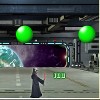 Laser Trouble Game Laser Trouble Game
Plays: 3670
Category: Action Games
Laser Trouble is a new game by Flash Games. Use your lightsaber to destroy all the balls. Press the left and right arrow keys to move the warrior around, press the space key to activate the laser. |
 New York Fighter Game New York Fighter Game
Plays: 3667
Category: Action Games
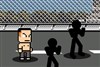
Four brothers went to New York, again they met robbers there. This time, brothers will give them a good thrashing! |  Combine Ultra Game Combine Ultra Game
Plays: 3663
Category: Puzzles Games
Combine is back with 4 new game modes! Again, your goal is to combine three or more balls of the same color to create a new ball of the next color. Unlock all colors to score more points!
The new Quick mode will drop you right in the middle of the game. The Daily Challenge will give you a fixed new challenge every day, to test your skills and strategy against players worldwide! The Freeze mode adds frozen balls, and the Custom mode let's you customize the game, which is a great way to practice new strategies! |
 War Elephant Game War Elephant Game
Plays: 3658
Category: Strategy Games
Face hordes of the world's most vicious warriors as you lead your army to glory in your quest for the legendary axe!
|  Ben10 vs Aliens Game Ben10 vs Aliens Game
Plays: 3654
Category: Action Games
Vilgax sent alien robots, hired bounty hunters Tetrax, Kraab and Sixsix to get the Omnitrix back... Help Ben10 lead the Galaxy's security force and kill them all ! Can you complete all 10 levels ? Level code at: www.gamegape.com
|
 UFO adventures Game UFO adventures Game
Plays: 3653
Category: Action Games
Fun and exciting game about a small UFO and it's adventures on different planets. You control the UFO using arrow keys, and you goal is slowly land on the platform and hurt nothing. |  Red Wire Game Red Wire Game
Plays: 3653
Category: Action Games
Don't let the ring touch the wire! Control the ring with the mouse and arrow keys or scroll wheel. |
 Archer Game Archer Game
Plays: 3650
Category: Shooting Games
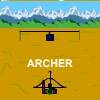
Press right and left arrow keys to rotate the bow.
Press space bar to release the arrow. | 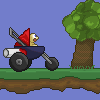 Race Stroller Game Race Stroller Game
Plays: 3641
Category: Action Games
Press the keys that appear on the screen to speed up the stroller and make the best time possible. |