| Online game Games |
|---|
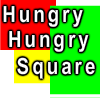 Hungry Hungry Square Game Hungry Hungry Square Game
 
Plays: 6516
Category: Action Games
Simple game. Use the mouse to move the white square.
Collect the green squares and dodge the red squares.
Flashing yellow/blue squares give extra lives and random effects ( speed change ) | 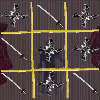 Ninja Tic Tac Toe Game Ninja Tic Tac Toe Game
Plays: 6515
Category: Strategy Games
A ninja themed tic tac toe game. Features 1 player or 2 player modes. |
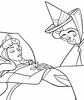 Sleeping Beauty -1 Game Sleeping Beauty -1 Game
Plays: 6515
Category: Dress-Up Games
Sleeping Beauty coloring page game |  Dummy Crusher 2 Game Dummy Crusher 2 Game
Plays: 6514
Category: Action Games
Cause destruction and mayhem in this action packed sequel! Dummy Crusher 2 is here, and it's absolutely crazy! Everything about it is improved, from the amount of action on screen to the variety of weapons you have! You can even control a heat seeking bee. That's pretty rad in my book. Can you beat all the levels in this challenging game? Good luck! |
 CAPTAIN RAT: MISSION SPACE Game CAPTAIN RAT: MISSION SPACE Game
Plays: 6513
Category: Action Games
Captain rat is on his space missions once again this time to the out of space area. Upgrade your rat with extras and goods on money he collects trying to get to the moon. |  Mont Bike X1 Game Mont Bike X1 Game
Plays: 6512
Category: Sports Games
This is the first version of Mont Bike and we well continue to work on the new version with new maps. We hope that you will enjoy this game! |
 Gunslinger Game Gunslinger Game
Plays: 6511
Category: Action Games
Keep the cans off the ground to show you are better than Billy the kid! | 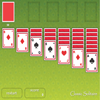 Classic Solitaire Game Classic Solitaire Game
Plays: 6511
Category: Casino Games
A fun game to pass the time and exercise patience. |
 Winter Dance Sim-Date Game Winter Dance Sim-Date Game
Plays: 6510
Category: Adventure Games
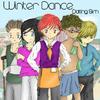
Winter Dance Sim-Date takes place in a typical last-year-of-high-school setting, featuring 5 very different guys available to date.
In this game you are able to: attend lessons to gain stats so you can work for money, purchase gifts to give your particular guy during a date, and enjoy the various endings that you will get for each individual guy. | 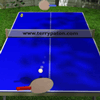 Ping Pong Game Ping Pong Game
Plays: 6509
Category: Action Games
A very simple pong game, but with some tasty graphics applied to it.Use the mouse to deflect the ball to defeat the computer player. |
 Cop Baby Game Cop Baby Game
Plays: 6509
Category: Puzzles Games
Raise your baby to be a good cop! A point and click adventure game. |  Super Sniper Game Super Sniper Game
Plays: 6507
Category: Shooting Games
Super sniper shooting game. |
 Word Search Game Word Search Game
Plays: 6506
Category: Education Games
Word Search is a dynamically generated puzzle - a unique challenge every time! Select your difficulty and start the game! Use the mouse to click and drag to select a word. If you find a word, you'll hear a gratifying *cha-ching* but if you miss it, a not so gratifying *fart*. |  Blokz Game Blokz Game
Plays: 6505
Category: Puzzles Games
Click groups of 2 or more bricks to pop them, clear the target amount before time runs out and get through ten levels. The more bricks you pop at once, the higher your score, pop enough and you’ll get points bonuses. |
 Respiratory Cycle Game Respiratory Cycle Game
Plays: 6505
Category: Action Games
The aim of game is make sure that one side of field contains all the carbon dioxide molecules, while all the ozygen molecules are on the other side. Don't forget to read informations.Have fun! |  Super Trick Or Treat Game Super Trick Or Treat Game
Plays: 6504
Category: Action Games
In this Halloween game, evade monsters while picking up as much candy as possible. Will you be the one to pick the most candy in the World?
Controls: Arrow keys or WASD keys to move. |
 Goodnight Santa Game Goodnight Santa Game
Plays: 6503
Category: Action Games
Christmas is here again, but this year Santa chose the wrong neighborhood to fly over.
Goodnight Santa is a simple "aim 'n shoot" game with somewhat excessive violence and christmasy tunes. |  PacBubbleMan Game PacBubbleMan Game
Plays: 6503
Category: Action Games
Pacman Like
with Arrows Key and Bombs ! |
 Phineas And Ferb Dress Up Game Phineas And Ferb Dress Up Game
Plays: 6503
Category: Dress-Up Games
It is a hot day in Danville, so Phineas and Ferb are committed to have the best day ever! They kept thinking all morning about things they could do and in the end they agreed to throw a super cool party at their backyard beach and everyone to be invited...and when I say everyone I mean the guest list includes you too. Yes. You're invited to Phineas's and Ferb's beach party but...only if you pass a test...a fashion test. Show off your fashion skills while playing the "Phineas and Ferb" dress up game and make sure you get enough points to participate in what promises to be the hottest beach party of the whole year!! |  ASD Piano Master Composer Game ASD Piano Master Composer Game
Plays: 6503
Category: Education Games
ESPAÑOL ABAJO
=============
The ASD Piano is a device made by I2 Interactive and sold widely everywhere. Here you can have fun playing with it. It has 7 keys that correspond to the 7 notes and you can play them by pressing the corresponding keys on your Keyboard A-S-D-F-G-H-J
In this game you have 3 modes to have your fun time with the ASD Piano TM.
Free Mode: Here you can play as you like, pressing the keys as you wish, click the Back button to go to tittle screen.
Memory: You will hear a short melody and then you have to play it again, many short melodies will pop and after succesfully playing them you can submit your score to the Hi-Score table.
Composer: You can compose your own original pieces!! and share with your friends, show the world the talent you have!!
In the composer screen press the "REC" button to start making your composition, play the keys that you wish and feel the best, you can play several keys at the same time and get awesome results. When you feel its finished hit the "STOP" button to finish the recording,
You can adjust your piece speed altering the value given at the bottom left and also you can add a background loop to acompany it selecting from the available tunes from 1 to 6.
You can hear your original piece clicking the "PLAY" button, click "STOP" to halt it at any point, with the playhead stopped you can click on any part of your pentagram, the playhead will go there, and playing any keys there will modify that part, you can click on "ERASE PART" to delete the notes on that part.
If you click "ERASE ALL" the whole piece will be deleted so be careful, also clicking "Back" will delete the piece so save first.
To save it you have to click the "SAVE" button and then, there is a white square at the bottom, right click on it and on the menu click "Select all" then right click again and on the menu click on "Copy" then open your Windows Notepad, go to START then ALL PROGRAMS and then ACCESORIES, then click on Notepad and there select Edit menu and Paste, then click on File and Save to save it anywhere you like.
To load your piece or your friends compositions first of all select the whole composition that you have received (starts and ends with a number), then right click on it and select Copy, then in the ASD Piano, once in the Composer mode right click on the white square at the bottom and select Paste then click on the "LOAD" button and now you can click on "PLAY" to listen to it, or you can edit that to add your own modifications.
You can also click on the premade songs to load them, doing that will load the entire song so be sure to save your work first, see what our talented team has made and learn from there.
ESPAÑOL
=======
El ASD Piano es un dispositivo creado por I2 Interactive y vendido ampliamente por todo el mundo. Aqui puedes divertirte jugando con el. Tiene 7 teclas que se corresponden con las 7 notas y puedes tocarlas presionando la tecla correspondiente en tu teclado A-S-D-F-G-H-J
En este juego tiene 3 modos para pasar un buen rato con el ASD Piano TM.
Free Mode: Aqui puedes jugar como quieras, presionando las teclas como desees. Haz click en el boton Back para regresar a la pantalla de titulo.
Memory: Oiras una corta melodia y despues deberas tocarla de nuevo, muchas cortas melodias iran apareciendo y una vez que las toques correctamente puedes enviar tus puntos a la tabla de Hi-Score
Composer: Puedes componer tus propias piezas originales!! y compartirlas con tus amigos, muestra al mundo el talento que tienes!!
En la pantalla del Composer presiona el boton "REC" para empezar a crear tu composicion, toca las teclas como prefieras y sientas de la mejor manera, puedes tocar varias notas a la vez y conseguir increibles resultados. Cuando sientas que esta terminada dale al boton de "STOP" para detener la grabacion. Puedes ajustar la velocidad de la pieza variando el valor dado abajo a la izquierda y tambien puedes añadir una musica de fondo como acompañamiento seleccionandola de la lista de Tunes disponibles de 1 a 6. Puedes tu pieza original dandole a "PLAY", haz click en "STOP" para detenerla en cualquier punto, con la cabeza lectora (flecha verde) parada puedes hacer click en cualquier parte del pentagrama, la cabeza lectora ira alli, tocando cualquier nota ahi modificara esa parte, puedes hacer click en "ERASE PART" para borrar solo esa parte. Si haces click en "ERASE ALL" se borrara toda la composicion asi que ten cuidado, tambien haciendo click en "Back" se borrara toda la composicion asi que salva antes de salir.
Para salvar tu composicion debes hacer click en "SAVE" y luego, en un cuadro blanco situado abajo, haz click con el boton derecho del raton, y en el menu que sale haz click en "Seleccionar todo" luego haz click de nuevo con el boton derecho y selecciona "Copiar" ahora abre tu Bloc de Notas de Windows, ve a "Inicio", luego en "Todos los programas" y despues en "Accesorios", luego haz click en "Bloc de Notas", una vez que se abra, en el menu "Edicion" selecciona "Pegar", luego haz click en "Archivo" y "Guardar" para guardarlo donde quieras.
Para cargar tu pieza o la de tus amigos primero de todo selecciona toda la composicion que tu has recivido (comienza y termina con un numero), luego haz click con el boton derecho en ella y elige "Copiar", luego en el ASD Piano, una vez que estes en el modo Composer, haz click con el boton derecho en el cuadro blanco de abajo y elige "Pegar" luego haz click en el boton "LOAD" y ya puedes hacer click en "PLAY" para escucharla o puedes editarla para añadir tus modificaciones. Puedes tambien hacer click en las canciones prefabricadas "Premade" para cargar una de las 5 melodias disponibles, haciendo esto cargara la cancion entera asi que asegurate de salvar tu composicion antes, mira lo que nuestro talentoso equipo ha hecho y aprende a la vez. |