| Online Draw Games |
|---|
|
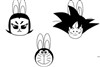 Draw Stick Figures Game Draw Stick Figures Game
 
Plays: 2420
Category: Puzzles Games
There may many times that you would like to draw the cartoon characters you like, but you don't know how to do it. Now follow me to learn to draw them! | 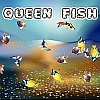 Queen Fish Game Queen Fish Game
Plays: 2415
Category: Action Games
Queen fish is an unusual and rare mouse skill game. Here, you can see multiple fishes. Find the group of same fishes and draw a shape with free hand drawing. The game will check that all the fishes covered by the shape are same or not?
If the shape is covering same type of fishes, they will be merged intro one. In order to win this game, you need to reduce the number of fishes to minimum possible.
I hope, you will like the game concept and the execution of game. |
 Triangles & Lines Game Triangles & Lines Game
Plays: 2397
Category: Puzzles Games
Draw lines, to get the ball, to the goal. |  Hydro Paper Tank Game Hydro Paper Tank Game
Plays: 2396
Category: Action Games
Enter into this animated world and defeat all the robots. Don't let them catch you. |
 sketch Game sketch Game
Plays: 2394
Category: Rhythm Games
Classic sketch game | 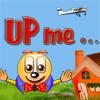 Upme Game Upme Game
Plays: 2393
Category: Sports Games
Upme is a funny game of drawing lines to balance a strange character! |
 Iron Ladies Game Iron Ladies Game
Plays: 2388
Category: Shooting Games
Help the Iron Ladies rule the battlefield in this real-time strategy game. Your objective is to guide the iron ladies to reach and use the exit door. Killing all enemies is not necessary, but is highly recommended! Featuring 20 challenging stages, 15 deadly weapons, highscore section and even a survival mode, Iron Ladies will definitely test your sense for war! | 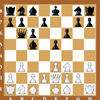 Chess old Game Chess old Game
Plays: 2378
Category: BoardGame Games
Chess is a two-player strategy board game played on a chessboard, a checkered gameboard with 64 squares arranged in an eight-by-eight grid. It is one of the world's most popular games, played by millions of people worldwide at home, in parks, clubs, online, by correspondence, and in tournaments.
Each player begins the game with 16 pieces: one king, one queen, two rooks, two knights, two bishops, and eight pawns. Each of the six piece types moves differently. Pieces are used to attack and capture the opponent's pieces, with the objective to 'checkmate' the opponent's king by placing it under an inescapable threat of capture. In addition to checkmate, the game can be won by the voluntary resignation of the opponent, which typically occurs when too much material is lost, or if checkmate appears unavoidable. A game may also result in a draw in several ways, where neither player wins. |
 Levantia Game Levantia Game
Plays: 2371
Category: Shooting Games
You must hold down space bar to draw back you bow and when the arrow is all the way back you can shoot it by letting go of the space bar. | 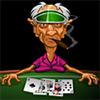 Grampa Grumble(TM) Poker Game Grampa Grumble(TM) Poker Game
Plays: 2367
Category: Casino Games
Challenge Grampa in a game of 5-card draw poker. The hilarious insults will fly as Grampa attempts to take all your money. Play until someone's pot is empty or a few rounds to pass the time. |
 Easter Egg Designer Game Easter Egg Designer Game
Plays: 2321
Category: Customize Games
Showcase your creativity and unleash your aesthetic sense by designing your own Easter egg with a beautiful assortment of patterns, shapes and colors! The game opens with a plain Easter egg on the left of the screen, while the available patterns are located at the top right corner, and different types of shapes are placed below the patterns. To apply a pattern, simply click the left or right arrow button next to the pattern samples. The selected sample will be enlarged and shown in the middle of the five boxes, while the pattern itself will be automatically applied to the Easter egg. You may repeat these steps to modify the pattern. To select a type of shape, click the left and right arrow buttons next to the shape samples. The available shapes of the chosen type will be displayed under the sample boxes, for example, when you have selected the snowflake, three available shapes of snowflake will appear under the sample boxes. Click to select any shape you like, then drag and paste it onto the Easter egg. You may click the shape again to adjust its size by using the scroll wheel on your mouse or the + and - keys on your numpad: scroll up or press the + key to enlarge the shape, and scroll down or press the - key to reduce the size. You may also rotate the shape by pressing the left and right arrow keys on your keyboard. If you no longer wish to apply a shape, you can click to select it, then drag and drop it to the bin on the right of the Easter egg. When you have completed the design, click the "Add some color" button at the bottom right corner to proceed to coloring. You will then be given a palette of 35 colors on the right of the Easter egg. To apply a color, simply use the paint brush to select a color, then move to the desired position on the Easter egg. The area will be circled and enlarged so that you can apply the color easily. Click to paint the color, or choose another color if you wish. You may reapply colors to a certain area, or you can click the topmost arrow button on the left of the screen to undo the previous action. If you would like to clear all colors, simply click the Reset button at the bottom of the palette. You may also click the buttons on the left of the screen to save the image, print the outline, print the image in color, or clear all colors and return to the design page. Click the Finish button at the bottom right corner when you have completed all steps, and a score will be given based on the richness of your design and the time you have spent. Come and participate in the unique celebration of Easter! |  Plane Control Game Plane Control Game
Plays: 2310
Category: Action Games
Land the planes and avoid collisions for awesome action.
There is no pardon, keep skies safe and land as many planes as you can, before you cause an crash.
Drag a line and the selected plane will follow these line, until airport. |
 Ugi - The Time Traveler Game Ugi - The Time Traveler Game
Plays: 2310
Category: Adventure Games
Draw a path so that Ugi the alien gets to the time portal, than hit Play. Use as few paint as possible in order to get more stars. Hit Undo or Clear to erase the paint, if you made a mistake. |  Moon Video Poker Game Moon Video Poker Game
Plays: 2298
Category: Casino Games
Video poker is a casino game based on five-card draw poker.
Travel to moon in our gamble game! |
 Ball Rolling 2 Game Ball Rolling 2 Game
Plays: 2280
Category: Action Games
it's funny physics game,you can draw anything to Get the ball in the glass container. |  Halloween Couples Game Halloween Couples Game
Plays: 2269
Category: Action Games
Draw a line with your mouse making a path on the hexagons to connect two or more halloween symbols of the same kind. You can draw everywhere as long as you highlight adjacent hexagons and connect halloween symbols of the same kind. Draw too fast and you will lose your path. |
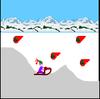 Line Shooter Game Line Shooter Game
Plays: 2254
Category: Action Games
The aim of this game is to draw your own ski slope, and make the player slide along this ski slope. |  Star Video Poker Game Star Video Poker Game
Plays: 2254
Category: Casino Games
Video poker is a casino game based on five-card draw poker. |
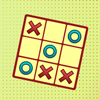 Tic Tac Toe Game Tic Tac Toe Game
Plays: 2230
Category: BoardGame Games
Revisit the good old days as you play against the computer in the traditional Tic Tac Toe! Your goal in this game is to form a line of 3 consecutive markings before the computer does so in order to win. In each round, you and the computer will take turns to put symbols onto the 3x3 grid. You will be playing with circles while crosses will be used by the computer. During your turn, you can click an empty square on the grid to mark it with a circle. You beat the computer when you successfully form a line of 3 circles in horizontal, vertical or diagonal direction. If neither side can mark a line of 3 consecutive symbols after all squares have been filled, the game will end in a draw and no points will be awarded. The scoreboard on the left of the grid shows the number of remaining games, the numbers of games you have won, tied and lost, as well as your current score. Play 20 rounds and see if you can sweep the board! |  60 Second Artist Game 60 Second Artist Game
Plays: 2229
Category: Education Games
In this game, you are given just 60 seconds to complete a drawing of a randomly selected phrase! Let your creativity run wild, unlocking several colours as you go! |